
A Welcome to Elderfield midnight crash needs to be matched to its exact symptom and game build. Older versions had several different failures around the date change, including a fixed Day 6 freeze, a black screen after “updating crops,” and a placement-related problem that could skip midnight events. Keep your existing save, record what happens, and check the matching branch below before changing files.
Welcome to Elderfield midnight crash first checks
Start with the moment the game stops responding, not just the fact that it is nighttime. A game that closes while entering the Farm is giving you different information from one that remains open on a black crop-update screen. A normal moon event, a character death, and a program error should also be recorded separately.
Write down the game edition and version shown by your installation. The Demo, older Patreon builds, and the released game do not share an interchangeable patch history. A fix described for an alpha build cannot tell you whether a new problem in your present installation has the same cause.
Use these details to describe the failure before testing again:
- The in-game day and approximate time.
- The current map and the map you were entering, if any.
- The last action, including placing furniture, opening a menu, or fishing.
- The complete visible error, if the game displays one.
- Whether the window closes, freezes, or continues running slowly.
- Whether this save began in the same version or was carried over from an older build.
Match the failure to the right branch
| What happens | Relevant branch | Important distinction |
|---|---|---|
| An old alpha freezes at midnight on Day 6 | Historical Day 6 bug | Alpha v0.0.9 contains a fix for this specific failure |
| Entering the Farm or Mall near midnight produces a TypeError | Historical map-entry crash | A v0.1.2a hotfix addressed the 2024 report |
| The Demo stays black after “updating crops” | Crop-update black screen | The May 2026 discussion concerned an older Demo |
| A pre-June 2026 Demo sometimes freezes at midnight | Demo v0.11.2 update | A June 11 fix addressed an occasional midnight freeze |
| Midnight behaves incorrectly while placing objects | Placement and time progression | Demo v0.11.17 changed the relevant placement behavior |
| A foggy map transition produces a baseTexture error | Map-rendering problem | This is not automatically a midnight-event failure |
| The game never reaches its menu | Launch or splash-screen failure | Follow the launch guide rather than a save-date fix |
For a failure before you load a save, go straight to the splash-screen crash guide. Reaching the main menu and loading a character are useful boundaries when deciding which troubleshooting steps apply.
The historical Day 6 freeze
Alpha v0.0.9, released in June 2024, fixed a crash that froze the game at midnight on Day 6. That is a specific historical defect with a specific point in the calendar. It should not be presented as a rule that every Welcome to Elderfield save will still fail on its sixth day.
If you are using an old installation, first establish whether it predates that fix. Keep a backup of the original save before moving anything into a newer installation. Older manual migration instructions concerned copying the game's save folder between those development builds; they are not a reason to overwrite an unrelated modern installation without checking its layout.
The phrase “Group of Null” also appeared in the early update material, but as a separate issue still being worked on. It is not the verified complete error for the Day 6 freeze. If those words appear on your own screen, record them as their own diagnostic clue rather than substituting the Day 6 explanation.
Farm or Mall entry near midnight
A 2024 failure involved entering the Farm or Mall around midnight on Day 3, followed by a black screen showing TypeError. The corresponding hotfix discussion pointed players to v0.1.2a. This establishes a historical map-entry problem; it does not establish that every TypeError involving those maps has the same explanation.
For a similar symptom, preserve the exact order of actions. Entering the map before midnight, crossing the boundary during the transition, and standing on the map while time advances are different test conditions. Change only one of those conditions at a time if you can do so from a separate saved copy.
If staying on the same map lets the clock pass midnight but entering another map causes the error, keep that distinction in the report. It gives more useful information than saying that the whole night is broken. It also avoids confusing a transition-triggered failure with a general update to crops, statuses, or world events.
A route that avoids the error is only a temporary workaround until its effect is understood. Passing one midnight by waiting indoors does not prove the original map is repaired. Before continuing for several in-game days, confirm that you can still save, reload, and enter the area needed for your tasks.
The updating crops black screen
An older Demo report from May 2026 described the first midnight reaching “updating crops,” then remaining black with severe slowdown and a sluggish cursor. The game could remain open rather than cleanly exiting. Those details matter because a black window alone could also describe a video-loading or rendering problem.
The development build outside that Demo was described as already having a fix. At that time, however, the full game was still in development. That statement cannot be used as a completed test of every later retail build or every player's migrated save.
If this is your symptom, record whether the crop-update message appears before the black screen and whether the clock or other interface elements remain active. Also record whether the process has actually closed. Do not borrow a TypeError or stack trace from another crash to fill in an error that your own game never displayed.
Updating an old Demo is a more relevant first action than changing unrelated graphics settings at random. After updating, repeat the original crossing of midnight from a protected save if it is safe to do so. If the failure continues, the important result is that it survived a version change, not that a historical report promised it would disappear.
The absence of a Windows “not responding” label does not settle this diagnosis. One older Demo case remained closable while the crop-update text stopped animating and never advanced. Watch the game itself: a window accepting the close command is different from the world completing its date change. Describe the stationary message and loss of gameplay control even if the operating system still treats the application as responsive.
The June Demo freeze update
Demo v0.11.2, released on June 11, 2026, included a fix for an occasional midnight freeze. This gives players returning to an older Demo another relevant update boundary between the May crop-update reports and September's placement changes. The fix did not identify a required in-game day, map, crop, or error string, so it cannot identify the cause of a new freeze from the time alone.
If you installed the Demo before that update and have not updated it since, bring that installation forward before spending another evening repeating the failure. If your build already includes v0.11.2, move to the branch that matches the visible action or message; repeatedly applying the same historical explanation adds no new test.
Object placement and skipped midnight events
Demo v0.11.17 changed object placement after a problem with pausing and resuming time could cause the midnight event to be missed. The consequences included abnormal behavior and potentially damaged save state. This is a distinct issue from the old fixed Day 6 freeze.
When diagnosing a save that began in an affected Demo, note whether you were placing objects or repeatedly placing the same type of object around the date change. Include whether placement was still active when time resumed. Those details are more useful than counting how many crops you own unless the error itself points toward a particular crop.
As a cautious diagnostic comparison, finish placement before the transition and cross midnight without entering placement mode. This is an attempt to isolate the triggering action, not a confirmed repair for every affected save. If one route succeeds and another fails, retain both results instead of repeatedly overwriting the same slot.
An update that fixes the action which causes corruption does not automatically prove that every earlier save has been repaired. If unusual behavior survives after the update, keep the original file and compare with a separate fresh test. Avoid editing task variables or deleting unexplained files in an attempt to force the calendar forward.
Compare an existing save with a separate test
A fresh-save comparison can help distinguish a problem carried by one save from a failure that occurs more broadly in the same installation. It is useful only if you preserve the existing character and can compare reasonably similar conditions. Creating a new file is not the same as deciding to abandon your progress.
For the older 2024 issue, a new file crossing its first Thursday was part of the suggested diagnosis. Keep that detail attached to that historical case. There is no basis for making every current player replay to Thursday regardless of the symptom they actually have.
A practical comparison can be organized as follows:
- Back up the existing save without replacing the original copy.
- Record the installed build and the failing file's starting version, if known.
- Reproduce the shortest safe route to the error and note the exact result.
- Create a separate test file only when the comparison is relevant to the failure.
- Compare the corresponding event or transition, keeping your existing save available for restoration.
If the test file succeeds and the old file fails, that is a reason to investigate save-specific state. It is not proof that the old file is beyond recovery. If both fail, that comparison points away from an explanation limited to that one character, but still does not identify a specific broken script on its own.
Check the selected slot when making this comparison. The June Demo update moved the autosave into its own window and made it the initial selection in the load menu. Deliberately select the manual file you prepared before repeating the transition. Otherwise, loading the default selection can put you into a different state from the one you intended to test, making apparently inconsistent results difficult to compare.
Moon events and ordinary recovery are not crash fixes
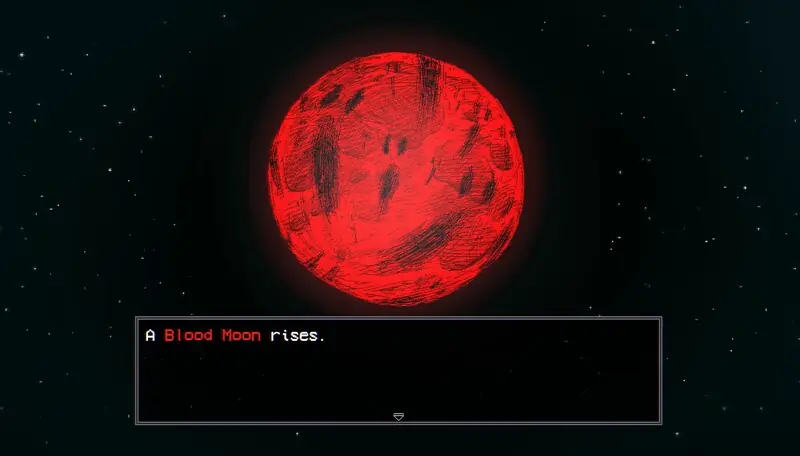
A moon event can alter your character's condition as the date changes. A sleep outcome can also be dangerous without indicating a program failure. If the event finishes and the interface continues responding, describe the actual gameplay consequence rather than treating every negative result as a crash.
Bathing and sleeping serve different gameplay purposes. The bath restores HP and MP and resets encounters; it is not a general repair command for a broken midnight script. Repeatedly bathing because an old thread mentions a world refresh can therefore change your game state without addressing the error.
The beginner tips guide explains those everyday systems separately. Use the mine reset guide for empty mines or resource refreshes. An expected resource cycle and a frozen program require different answers even when both are noticed after a change of day.
Keep map-rendering and fishing errors separate
The September 8 Demo note described a tentative fix for baseTexture errors during foggy-map transitions. Its trigger was a rendering transition. Treating it as proof that all midnight failures were fixed would combine unrelated symptoms.
Older fishing failures included an error involving the fishing interface and a property named visible. The relevant report happened while fishing at the lake during an event. That does not establish a general midnight cause, nor does it establish that simply carrying Leeches breaks the calendar.
If your crash occurs as the fishing interface opens, preserve that action in the report and consult the fishing tutorial for the normal interaction sequence. Record the bait and event as conditions rather than immediately calling either one the cause. This keeps useful details without turning a coincidence into a mechanic.
A useful stopping point for troubleshooting
After confirming the build, capturing the symptom, and making one relevant comparison, stop adding unrelated changes. Reinstalling, replacing the runtime, editing saves, and changing graphics flags together would make it difficult to tell which change affected the result. A short reproducible case is more valuable than a long list of changes with no clear before-and-after state.
Keep the failing save, the visible error, and the actions needed to reach it together. Include successful comparisons as well as failures, especially when the same installation handles a fresh file differently. No universal retail-version midnight fix is established here, so a persistent failure should remain an unresolved case rather than being labeled solved after a temporary bypass.
Back to top